Consultants and agencies
Every client's research, files and AI drafts in one place, ready to reuse and send.
Sharpr Nexus, a Sharpr product
Sharpr Nexus saves every chat and every file your AI makes, across ChatGPT, Claude, Gemini, Grok and Perplexity, automatically. Find anything in seconds, then use it in your next chat, in any AI, with one click.
Install once. It saves and organizes as you work.
Free for 15 days. Cancel anytime.
“I know I asked Claude about this last month. I can't find it.”
“The model ChatGPT built me last week? Somewhere in my Downloads. Maybe.”
“I've uploaded the same deck to ChatGPT, Claude and Gemini this week. Three times.”
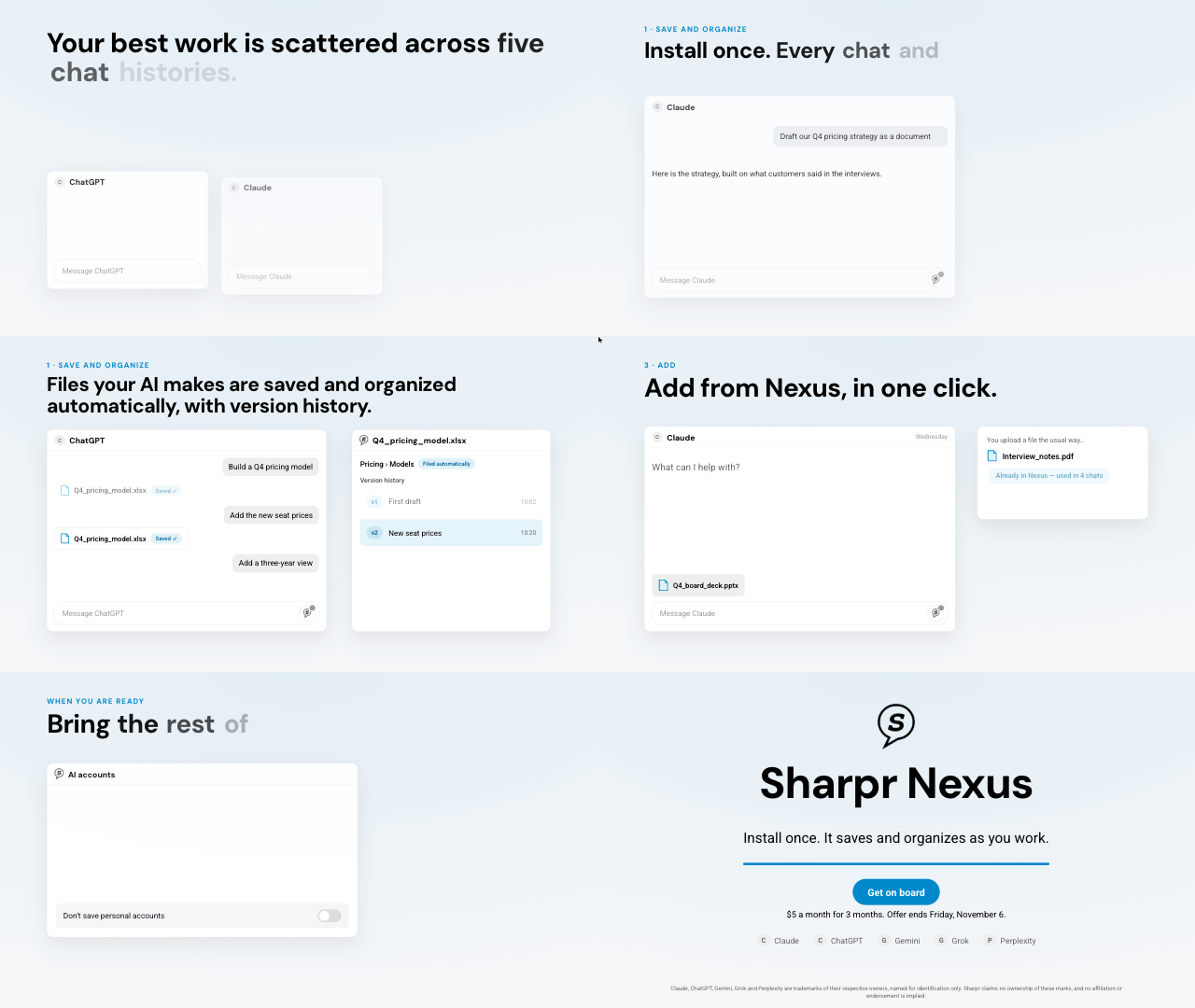
How it works
Every chat and every file your AI makes, sorted into the right folder automatically, with version history.
One search across all your AIs, or ask any connected AI to find it.
Add any file or past chat to your next chat, in any AI, with one click. No more re-uploading.
Share it with your team or clients when you're ready, and see who read it.
See everything Nexus doesWho it's for
Every client's research, files and AI drafts in one place, ready to reuse and send.
Find what you or a colleague already asked any AI, and build on it.
Models, files and code saved with the chat they came from.
Before and after
| Before | After | |
|---|---|---|
| You | The same deck uploaded to ChatGPT, Claude and Gemini | Saved once, then added to the next chat in any AI with one click |
| AI-made files | Lost in a chat or a Downloads folder | Saved, filed and versioned automatically, with a link to share |
| Client | Gets a pasted chat transcript | Gets a brief, report or share link, and the team sees it was read |
The whole product. Cancel anytime, and your data is yours to export.
Free trial
Free
for 15 days The whole productFree for 15 days. Cancel anytime.
When you are ready
Shared spaces and admin controls, once other people need the same library.
“Half the team uses ChatGPT, half uses Claude. Nobody sees what the other half learned.”
“The best analysis is stuck in someone's personal chat history.”
Reviews, status from Draft to Final, and a team inbox.
Company spaces, rules for work vs personal accounts, and usage insight.
| Before | After | |
|---|---|---|
| Team | Everyone re-researches what a colleague already asked | Shared library. New findings show up in the inbox |
| Lead | Asks where things stand, and waits | Status labels, reviews and briefs that update themselves |
| IT | Company data sitting in personal AI accounts | Company accounts mapped to company spaces. Personal accounts can be switched off |
FAQ
Claude, ChatGPT, Gemini, Grok and Perplexity. Add from Sharpr works inside whichever one you have open.
No. Install once. As you work, every chat, upload and AI-made file is saved and organized into the right space, folder and tags.
A button inside your AI chat. One click puts any saved file or past conversation into the chat you are writing, in any of the five AIs.
Yes. Import your full history from all five AIs during setup, or upload their export files.
Each AI account can go to its own space, or be turned off. Companies can block personal accounts entirely.
Only you, unless you put them in a shared space or share a link. Your Personal space is private.
Yes. An AI you already use can search your library over MCP and pull a saved file or past chat into the conversation. The details are on the features page.
When a file changes, the versions stay linked, with a summary of what changed. The file stays with the chat it came from.
Yes. Send a read-only link to a brief, a folder, or a file. You can see who opened it.
A share from one AI is one chat, in that AI. Nexus keeps the chats and the files from all of them, so you can find last month's work and use it in whichever AI you open next.
We email you before the 15 days end. Cancel anytime, and you can export everything.
Always. Export a zip, Markdown, PDF, or Google Docs.
Privacy and control
No. The extension keeps a revocable sign-in for the browser, never your password. You can sign out any device.
Yes. Read-only viewers, a single folder, or a share link. Access can expire.
Sign-ins, shares, and admin changes are logged. The extension can send anonymous counts of failed saves per site, never the text of a chat, and you can turn that off.
Sharpr Nexus saves and organizes your chats and files as you work, then puts any of them into the AI you have open.
Free for 15 days. Cancel anytime.